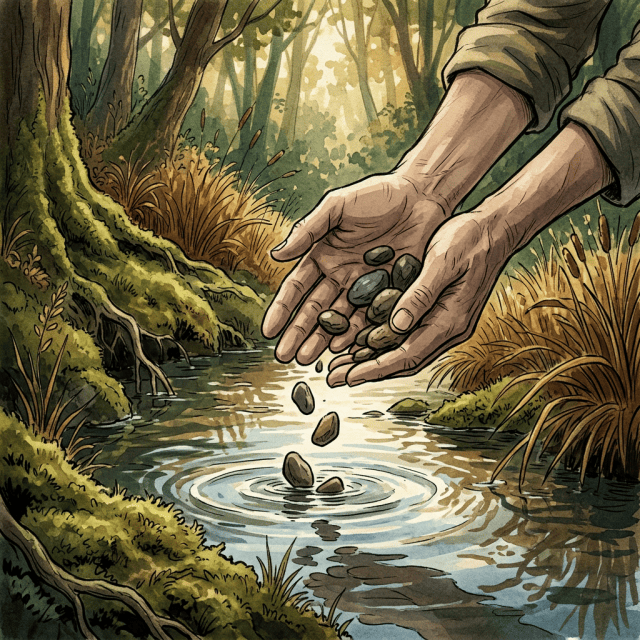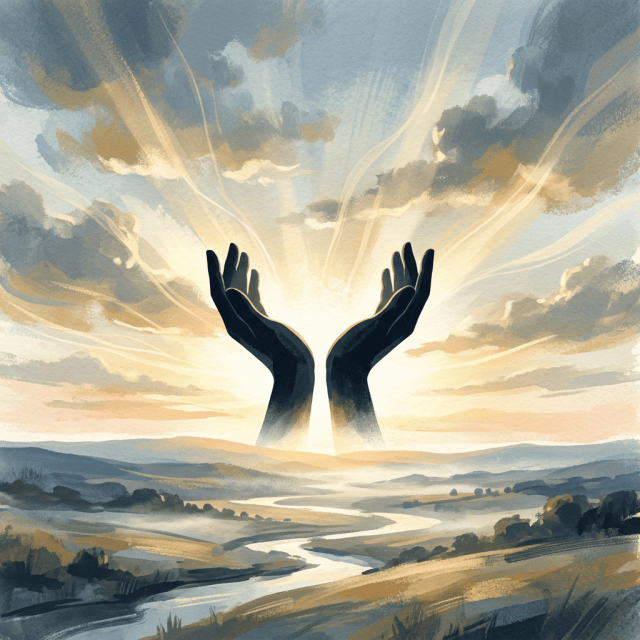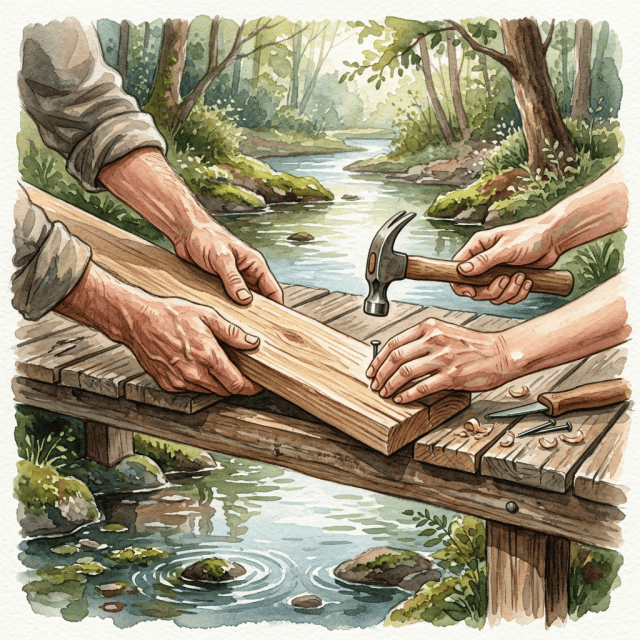
The sins of the father will fall upon the children
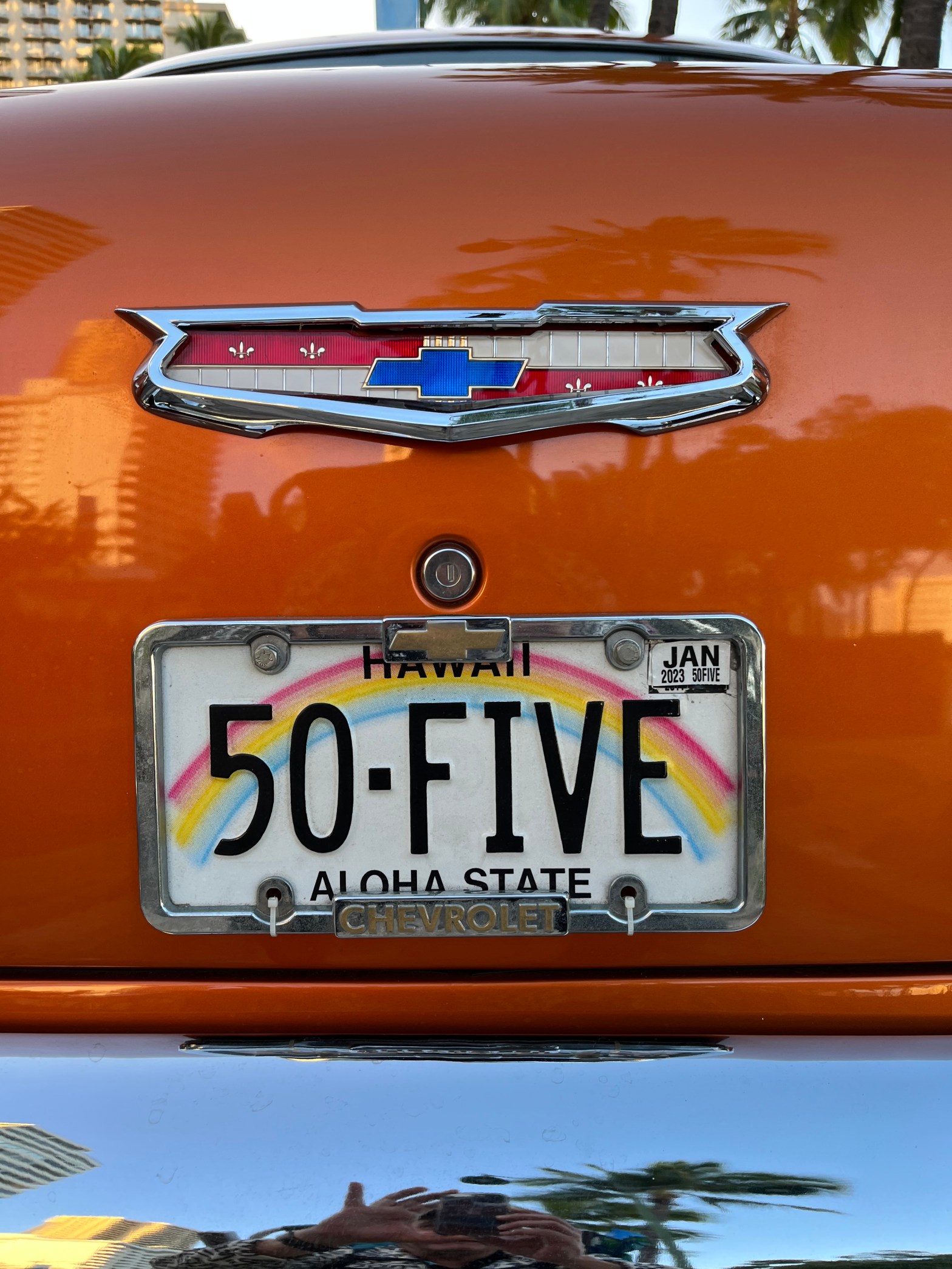
In Oceania–of the many Samoan, Hawaiian, and New Zealand cultures–guilt caused by error–makes one sick. Harmony and health–to both the body and the land–can be healed by confessing the error, especially of sexual misconduct, in the tribal circle. Ho’o is to put to rights, to make right, such as in preparing to catch a wave. Indeed, my Pono, or uprightness needs be reviewed and adjusted to tidy up or make neat, my life. I am unable to catch a wave at Waikiki Beach, and this was not always the case when I was young. I caught every single wave I could hear arising behind me. Something happened. Something isn’t right. Prayer and Meditation points me in the right direction today.
In the fellowship of Alcoholics Anonymous, so too is this Spiritual Principle made to heal the alcoholic from drinking, only by confessing and releasing anger and resentments against other persons, places, or things–to amend, or make good–a future path of a healthy life.
On many YouTube videos, there are many one-to-three hour podcasts with experts and best selling authors. They promote their practices to help one become abundant, wealthy, and productive.
I would like to distill the many ancestral and religious practices into a short list of areas in one’s life that need an honest light to sweep upon our shortcomings like a lighthouse over dark rocky shoals.

A lei made from the fruit of the pandanus tree was bequeathed after the completion of ho’oponopono in the tradition of kahuna Makaweliweli of Moloka’i.*
* Etymology defined by the Hawaiian Dictionary and second section of wikipedia.org
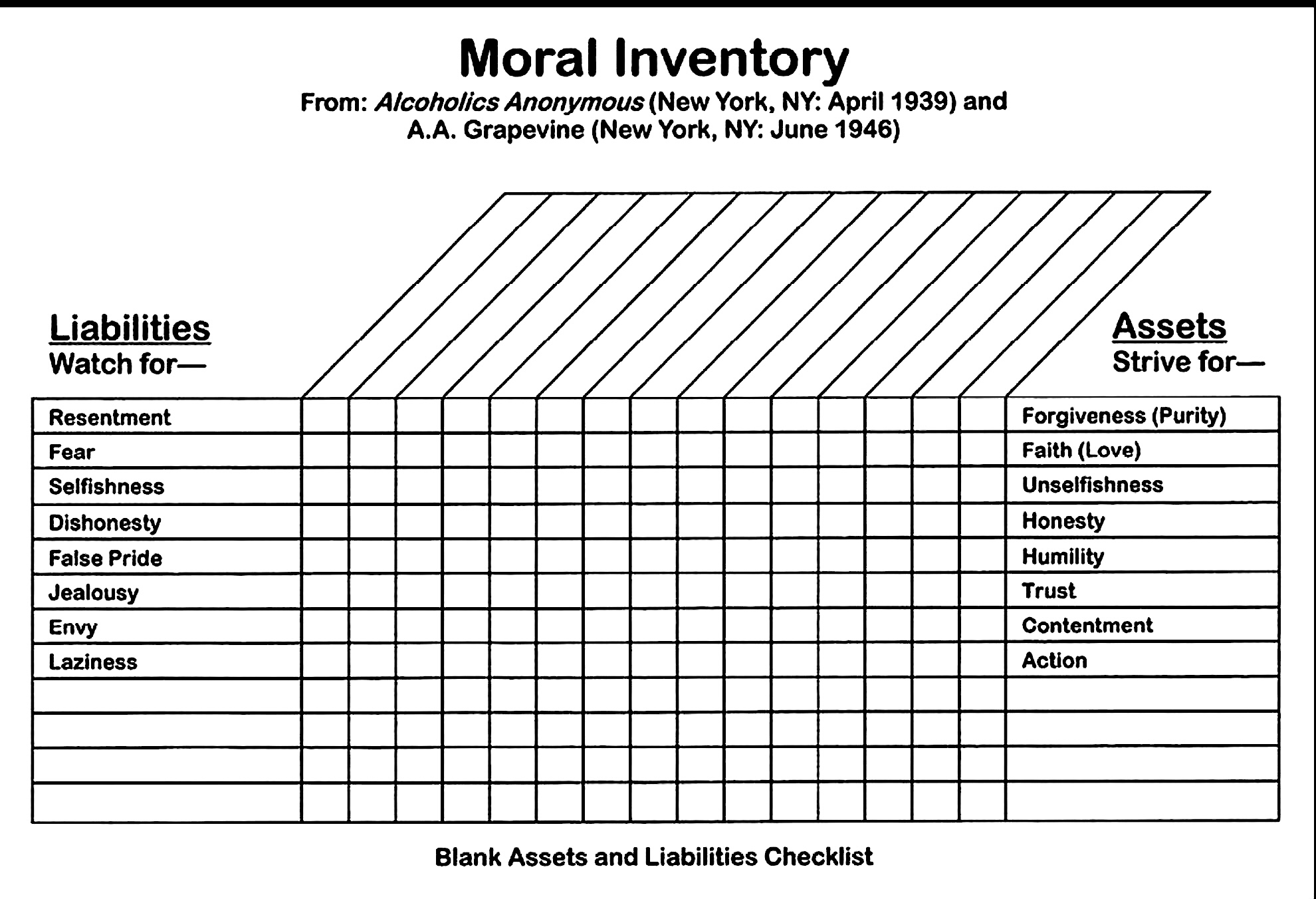
In a fourth step inventory of one’s self, there is a list of columns with which an alcoholic or an addict is to divide to find first–the person, place or thing one is angry about. Column two is to be the cause, column three is the aspect of what part of our natural God-given instincts have gone awry, and then, four, what could we do differently, in living an amended life.
I’ll concentrate on the third column, as many sponsors and sponsorees become slow to admit to find the area of life that is–or has been–damaged such that escape through drugs and alcohol is a recurring trap from which their appears to be no escape save for jails, institutions, or death. Here are the items for column three:
Personal security How often do we feel threatened by gossip or bullying by another, and how does this erode the fabric of our life with others. Especially time spent in getting even.
Social instinct We all observe herds, coveys, schools, and packs among the animals, as so too do we humans cluster themselves in groups and organizations. Note how we tend to sit in the same seat in a classroom or movie house. How we tend to be like birds of a feather and attract like-to-like.
Pocketbook Indeed, finance, or lack of money, is a big part of resentment of who got what, or how do I get mine? Keeping up appearances and looking good all create a false facade that can come crashing down when we don’t get honest with another about our true motives.
Self-esteem High Unrealistic expectations, entitlement, or having a huge ego with no respect for self, hence no respect for other people, places, or institutions. Look at Peter Quill’s dad in Guardians of the Galaxy 2.
Self-esteem Low This can manifest in hidden sex relations and codependency and in being what is called an enabler. Family mascots abound with titles of caretaker, black sheep, golden boy, and troublemaker.
Pride and ambition Pride leads the procession as we always live in regrets of the past or the worry of the future–never in the gift of the present. Plans for the future is another good way to phrase this aspect.
Personal relations To assess that other’s were wrong were as far as most of us got. We never realized that the victor only seemed to win, and that the only one losing was us, whenever we tried revenge.
Emotional security Think about it. If we were emotional secure, wouldn’t we be attractive to others? Isn’t that what we admire in someone we like? And yet, we fail to take the advice we freely give to others.
Financial security If you sit in a barber shop long enough, you’ll get a haircut. Hang out with millionaires, and your chances of becoming one improve dramatically. Most poverty consciousness comes from being taught like this from our family of origin–hence why upwardly mobile families strive to move to better neighborhoods, just like Trevor Noah’s story and his off the record tour!
Sex desire Gameboy-playing and porn-watching does not a successful sex addict make. I’ll never forget the lost soul kicked out by his boyfriend holding a black plastic trash bag full of his porn. He chose porn over a live human being. What a shocker before going through the gate to an SAA meeting!
Material security Frothy emotional appeal seldom suffices in trying to convince an addict or alcoholic to work the steps by Trusting God, Cleaning House, and Helping Others. It is so simple. Honesty. Open-mindedness. Willingness. With these we are well on our way to material security!
Ask yourself when you become upset what is the fear associated with the reactive behavior. For me it usually boiled down to: There isn’t enough. There isn’t enough time to find a parking space. There isn’t enough time to wait for the light to cross the street or checkout at the convenience store–or to write a letter or email. There isn’t enough time. There isn’t enough love: I better run away now before I get dumped or get my feelings hurt. These are all fears of scarcity. Indeed my worries and my anxiety depressive tendencies were numbed by alcohol, then marijuana, then cocaine, and then meth.
Ta Da! I’m an alcoholic. Once an alcoholic, always an alcoholic, ’cause a pickle can never be turned back into a cucumber. Knowing this, I don’t have to pick up–no matter what.

Reasons cited for not moving to Honolulu on the island of Oahu: The Traffic
On every YouTube blog about things wrong with living on Oahu, and why one should be prepared for moving to Hawaii, is the congestion on the H-1 interstate, how long the trip from the North Shore to the southern side in the city of Honolulu can take before and after weekends, and the horrible commute from Aiea and Pearl City to the Waikiki area. My suggestion is to follow my example: don’t have a car.
It’s important to understand my demographic and view, which is that of being a single person– not needing a full-sized home–or deducting a mortgage and listing independents–of which most family households submit during their filing taxes. Indeed, a high tax rate for the state is also listed on the many reasons of why not to move to Hawaii. Coming from California, however, I did see a slightly larger take home pay by moving here from California because state taxes here are about two to three percent lower than California. I am already coming from one high cost area to another.
Since Florida has no state taxes, many Californians prefer to move east, rather than west, to save on income. A common theme I repeat is that there are always reasons for why things cost what they do. Hawaii suffers less hurricane damage than Florida, and has enjoyable soft rains replete with rainbows. Hawaii also has year-round trade winds, which make for a much cooler summer than Arizona, Texas, or Florida. Many regulars here do without air-conditioning all together. In my opinion, this can cancel out the expense of state taxes alone.
The Nimitz, Ala Moana Blvd., gets slow and sticky in the afternoon. The number 20 and 42 move through the traffic smoothly without having to do the driving!
Back to traffic. Boomers are the primary cause of traffic. We grew up with cars, and we love the freedom they bring. I submit that the freedoms a car provides, have become greatly reduced due to the cost of fuel, parking, and maintenance or repair. I don’t have to worry about a big ticket item parked out-of-sight of my view, or unexpected or immediate costs to replace a safety item of a vehicle. I just use a bus pass. I can listen to music, catch up on emails or social media, and text someone without being a safety issue.
It only costs me three dollars to go to the airport, and return. If I go shopping downtown or at the largest outdoor mall in the west, I can go to and fro for only three dollars. I have an HD backpack that’s comfortable to wear with large loads, and I have two sturdy reusable shopping bags to carry soda or paper towels outside of my backpack, if I’m stocking up large. Scooters also have storage to carry.
Scooters are also a great way to get around with easy parking!
One of the main reasons I am converting my YouTube channel to Walks on Waikiki is to continue my message of service to live an emissions free life, and get around without a car. This is easy for someone young or on a limited income, but I find freedoms created in other areas of my life if I don’t have to spend on owning a car. Fortunately, people are real friendly here. I had three different guys help me move by using their pickup trucks. People seem very willing to give me a ride home from gatherings, and expect nothing in return. So I do indirectly benefit from living in a place where many of my friends drive. In San Francisco, there are far fewer acquaintances who have autos. I had to rent a car just to go to a party in the Bay Area. Not so here on Oahu.
The HART Honolulu Area Rapid Transit Right-of-way is inching closer to the Ala Moana Mall!
One good tip about where to buy a home if you have a commute to either Waikiki or downtown. The smoothest inbound commute is from the Eastside: Hawaii Kai. The least favorable area would be Pearl City or Aiea. These two suburbs are west of downtown and have congestion, mainly because the department of cones is unable to create reversible lanes to add an extra lane for commute traffic.
I’d have to say it was the iPod Shuffle. No heavy armband or having to hold a phone and buy expensive earbuds that easily get misplaced: Songs you can upload or replace when you click onto Music, and carry with you in a miniature device–With simple controls you can use by touch without having to slide or select and remain hands free.
I was so upset in 2009 when Apple discontinued this device–which at the time I didn’t realize as a precursor to making the iPhone the single juggernaut*–
In slang, a *juggernaut describes an unstoppable, overwhelming force or entity that crushes all obstacles in its path. It can refer to anything massive and immensely powerful—such as a dominant sports team, a highly successful corporation, or a powerful character in a video game, or in my case, an otter case, the all-in-one slipcover for my iPhone, which has changed a whole generation towards an attention deficit disorder causing increasing difficulty in reading, writing, and who can only guess, arithmetic. (Save for the new calculator app which works wonders for doing turbo tax itemization lists!)
–The device that miraculously replaced the camera, the desktop, the flashlight, and how we connect to the internet–starting with it’s introduction around the same time the iPod shuffle went away. Alas, everything was going to streaming, and the software loaded permanently to your device would forever be converted to a monthly subscription service and no longer held in sovereignty as our own with a 16 digit serial code for as long as we held or used the laptop, pc, or desktop computer.
Portability is great for getting around.
So yeah, the iPod Shuffle, along with the smooth egg-shaped inexpensive clamshell smartphones, were great durable devices that kept things simple. I’ve frequently said that ‘smartphones’ kinda destroyed the telephone call. (We all know what killed the radio star.)
So while I don’t dislike the iPhone and Android phones, for they are incredibly powerful in their own right, I love changing songs and volume with the ingenious bezel control, in it’s simple design–as the best purchase I ever made. And the replacement earbuds are still under twenty dollars!
Would we like an IPO that pays dividends and has a long-term outlook on earning per share that will never enter bubble territory or collapse earning per share? Wouldn’t this make us happy?
Welcome to Space Q. Our quantum creative reality that isn’t on the Nasdaq or ever become listed on the S&P. Just like an eruptive volcano which starts with ‘the last straw’ of frustration and despair—and ends with a fantastic never ending milkshake! With the flavor of your choice!
First off, let me help you know who I am. I have an incredibly short memory and get stuck comparing my internal struggles to your Tik-Tok only-fans curated public success on the outsides: your fabulous meal on Facebook, your incredible trip, your party with all the gang with smiles, and with me looking at all your joy—without me being there. And there’s the rub. I’m not happy. Too many choices with not enough time.
Well, I don’t need to launch a Space-X style public offering! And neither do you! No monthly subscription fees, no Training Vault .pdfs or audiobooks, no charges on your credit card!.
We can take a night deep dive into the abyss of the sea and hollow out our identity by reconstruction of a new version of myself. Indeed, as Neale Donald Walsh describes with God, In ‘Conversations with God,’ the phrase most apt about where I’m headed with this Space-Q of Quantum Reality, is: To create, “The Grandest Version of the Greatest Vision of myself!
All those times when wrestling with anger about being fed up—is the time before we rise to a new level that required all previous experiences to be accessible. I believe this is where happiness begins. It’s where we know we are being the self we’ve always tried to be.
We are not returning to a previous version of ourselves; we are arriving at a new level that requires all previous experiences to be accessed. The masks we wear in public, by our ego or exterior surface–is finally breaking. Our dream state or creative self–not a part of our daily do list–what our executive function decides is important; is not in the internal depths which have reached the necessary level to sustain our rise. This is how our inner garden grows. To bloom as our true self!
There is no external reward coming. Nothing is growing here. Beneath the of frustration and despair in silence; this emptiness–is where we really change and grow.
Carl Jung talks about the Bamboo Metaphor: Once you plant bamboo, you’ll never be able to get rid of it–at least here in Hawaii. Just like the aloe vera plants, they resemble Audrey 2 in “The Little Shop of Horrors.” But here’s the thing. Bamboo species can spend five years appearing to do nothing on the surface. They are building a massive root system before rising to (in some varieties), up to ninety feet tall! Any Deadpool-like stale watery thoughts that keep getting resent to our brain over and over, are like the massive root system underground in a bamboo shoot planted. Truth is, we’re building a foundation.
And the foundation, once in place, can skyrocket tall like a bamboo tree into your new self. Alongside our descent into darkness, we bury our true gold–our most potent gifts–which we usually gloss over because we take our artistic or poetic self for granted, especially if we let our ego compare ourself to famous actors (or infamous ones if you’re like me) – and celebrity painters, writers and singers.
The point psychologist Carl Jung is trying to make: that once an absolute limit is reached, a reversion or breakthrough pushes forward–like the pile of sand or dirt or rock that gets too big or steep and reaches avalanche stage and the pile slides down–like Highway 1 on the California coast!
So whether you rise:
Or whether you fall:
Be it known it’s because you are growing into the person you truly are–and have always been!
I asked AI to respond to the recent WordPress writing prompt asking, What Proverb do you disagree with? I didn’t ask about any contradictions, but just asked Chrome Gemini AI to name the top three sayings: It came up with, “Don’t judge a book by it’s cover,” “Actions speak louder than words,” and “Better late than never.”Hmmm. These top three AI proverbs seem, at first blush, to be difficult to disagree with. They’re used so often, I figured I should move on to something else. But what fun is that? Let’s see how I can convolute this simple task and go off on tangents that can create a centripetal acceleration force that brings up, “If you can’t impress them with your Knowledge, baffle them with your Bullshit!” Or, just now, in the middle of a zoom meeting–I heard a first timer; “Two crumbs don’t make a cookie!”
The intent behind this truism is the oft used, ‘That’s the way the cookie crumbles,’ was spoken in the context of two broken emotionally unavailable people whom cannot a relationship, make. Certainly, the cookie monster doesn’t show any discretion or pace in the way he eats cookies!
Now on to proverb one, ‘Don’t judge a book by it’s cover.”
Meaning: You should not form an opinion about the value, character, or quality of someone or something based purely on their outward appearance. In taking this photo above literally, I can’t help but see that the title of said book–to be of more weight than the hardcover binding or jacket cover of the actual book itself. ‘First impressions count,’ I guess. I must say, I am much more judgmental about the cover, before I really actually read the ‘dust cover jacket,’ so to speak, of someone I’m intrigued about getting to know better. What with attention deficit disorder scaling to new levels since the advent of scrolling on an iPhone, true meaningful conversation, at least in passing, seems to be going the way of the Dodo bird.
Truth be told, I do judge a book by it’s cover, and may God help the soul that actually penetrates my thick skull of first look impressions, before any meaningful coffee date occurs.
On to ‘Actions Speak Louder.’ This seems to be true of protests around the US these days. But, to be honest,
I think the actions of protest are largely meaningless. Payola to hold up a manufactured sign. Definitions lost on being able to describe the definition of a King. Causing property damage and theft in the name of peace. It seems bizarre. So my for my take against ‘Actions speak Louder,’ I’ll go with words or names being much more important than sticks and stones.
Indeed, if I can ask a simple question which could be answered with a simple ‘yes’ or ‘no,’ and the person responds clearly and offers a good reasoning behind their answer, I am immediately drawn to them and they get entered into my attractive list waiting room. No long testing between going through my quiet hoops they must go through to be trusted. Oh, I’ll never let you know the laundry list of tests you must pass before I come up with a verdict of friend or foe–which can be crushingly unfair! I’ll just see if you have no angry reaction, and that you . . .
I do bring this up in my Chapter, “We’ve Been Waiting an Hour” in my Dao of Doug Series, The Art of Driving a Bus (nom de plume Douglas Meriwether) found in this link: https://www.amazon.com/dp/B07FBPK4NB, very tongue in cheek and with some very cheeky dialogue, as with most of my anecdotal non-fiction esaay style humorous autobiographies–shall we say.
But this phrase does not apply at all to a bus that is late, because my experience definitely has showed me that people are not in the mood of better late than never when it comes to being out in the rain without a shelter and when I’m missing my leader.
Here’s another quick-shot list of Proverbs that have loopholes bigger than our US tax code, with 2026 changes going over 700 pages!
Practice makes Perfect – bullshit. Failure is the best of all learning curves. My conversion I’ve found to be true is:
Practice makes Progress
Honesty is the Best Policy – for who? The insurance company? The cop issuing the ticket? The boss smelling alcohol on your breath? The reason for being late (and failing) a test? Once again, this is really about the opportunity in using the creative juices! Go for it!
A Really good White Lie is the Best Policy
Time is Money – I don’t know about you, but the hell with a cheap dime store watch! Rolex aside, we know that
Money Talks – and what Walks? Put up or Shut up! ‘Nuff said.
Don’t put all your eggs in one basket – No, open up the egg container at Safeway before you take them to the checkout, and make sure there aren’t any broken ones inside! The Captain and Tennille’s number one album had the best rendition of this song–and let’s not forget David Archuleta’s, Mama Told Me, American Idol 2008:
You better shop around
PS: My Mama Told Me Not to Come – Three Dog Night – Oh yeah!
Well attention spans must be hitting the limit, so ‘bye for now.
Here’s the phrase, “Hear, my son, your father’s instruction, and do not forsake your mother’s teaching.” written in Biblical Hebrew. I had asked JetPack AI for the phrase, “The enemy of my enemy is my friend.” and it gave me this. By many accounts of my youth and with my family, the AI response was definitely more telling as a credo I wish I had taken to heart in my teens and twenties! It would have saved me much of grief of drinking till I puked on the porcelain bus, aka. the toilet! Every hour on the hour (actually, every 55 minutes) like a trip to Daly City from Ferry Plaza.
Indeed, AI knows me better than I know myself! Oh yeah, like the message above the door of the Oracle’s kitchen in the Matrix Trilogy; Know Thyself! Thanks Neo.
In my Dao of Doug series, I close my humorous chapter, “The Complaint Department” about pulling in after a day of driving a bus with minor defects, such as a horn that would intermittently go off randomly when it’s loud blare was totally inappropriate–much like my youthful indiscretions*
*Indiscretion refers to a lack of good judgment, caution, or tact. It describes behavior, speech, or actions that are careless, risky, or fail to respect privacy. The term applies to both the general quality of being imprudent and the specific foolish mistakes or missteps themselves. Hmm. Ouch, this exercise is pointing a finger right back at me.
Having failed to create the image I wanted for ‘Enemy of my Enemy,’ I wanted to go modern:
I thought I’d be cute with this truism I’ve unfortunately learned from buying high and selling low on my Bitcoin proxy, MSTR:
And low and behold, here’s the next adjustment Jetpack AI gave me when I tried to change the format of the picture: OMG!
Lord knows this has been true for me in 2025 to now in 2026. My Schwab brokerage account reminds me my ‘unrealized losses’ from MSTR are $144,000. Dammit, I want my money back! And I’m still waiting six weeks for the IRS to finish ‘investigating’ my refund I filed on Turbo Tax on March 1st! Oh, it’s only going to be another six weeks, like say, July 23rd!
Fortunately, I have a Wheel-of-Fortune, Ten Pentacles card type promissory note following my YouTube Jungian and Buddihst channel to repeat the phrase, “I am wealthy, I am wealthy, I am wealthy” in three groups of three resetting my mind body and soul to the quantum frequency which generates our desire. Whew. So at least I got that going for me.
Finally, I tried to go for Little Miss Red Riding Hood, and the You Know Who in the cute cottage in the forest–with the age old, “Don’t Put All Your Eggs in One Basket” and got this image:
Here I was thinking about money, stocks, and more specifically, banks. And Jetpack AI rerouted me to the Spiritual side of Abundance. Darn. But again, another wake up call.
Finally, the full first proverb actually reads: Listen, my son, to your Father’s instruction, and do not forsake your Mother’s teaching. They will be a Garland to Grace you head and a chain to adorn your neck.” Not as contemporary as I anticipated, but a wonderful message with a very clear God shot.
A detailed coin labeled ‘AEGEAN PROTOCOL AETHEREUM’ sits embedded in a cracked block inscribed with glowing binary code in a tech workshop.
The obvious answer to this question is to advertise on Google slash Alphabet–on my YouTube channel!
The number of views you can get on YouTube in just three days is so huge, such that even if the cost per view is very reasonable, the numbers grow so fast, the cost is thousands of dollars in as little as just one day.
A YouTube manager called me and another emailed me with a free one-thousand dollar ad campaign boost because I had intervened on a critical thread about how awful YouTube is.
I gave my short take about how freeing YouTube is because any one of us no longer has to be employed by a network affiliate of big media to create what we like and are knowledgable about! The structured vertically integrated institutional media magnate no longer forces us to conform to their outright censorship resulting from where their revenue source comes from–even if opaque to us on air. We truly become our own creator!
They couldn’t understand why I refused their one thousand dollar credit. It’s because the ability to guess the threshold for going over a thousand dollars can be near impossible due to the number of views.
So if I had an unlimited amount of money to advertise, I could stretch my sandbox for weeks on end and become eligible to get my most coveted award of all–the ten thousand subscriber plaque I see successful YouTube creators display behind them on their podcast!
I know I have the talent to get paychecks from Google, but I can’t seem to get it together. All I can do is blog and post on WordPress and see if the light eventually goes off.
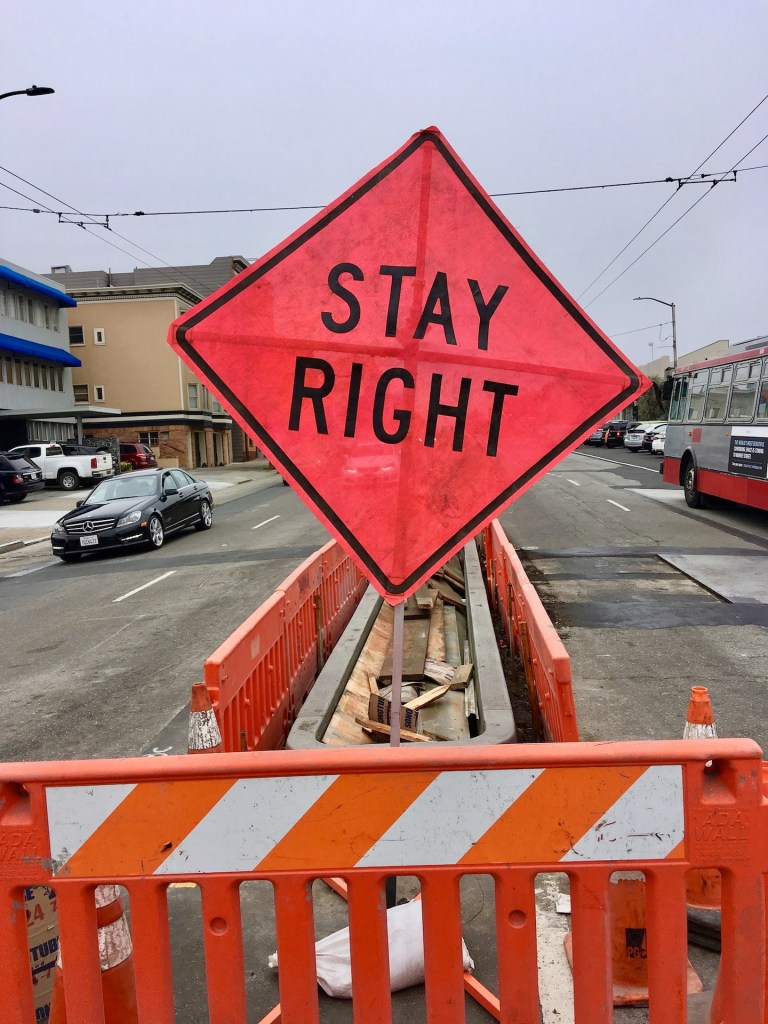
Not only can I read, but I know the truth behind the difference between similar signs.
What are you good at?
I’m good at reading the signs I see coming. Knowledge with experience becomes wisdom. Such that the following sign becomes wisdom immediately after reading it before arriving at the construction lane closure! Most of our resentments with others on the road is that we don’t create a large enough space cushion between us and them, and we run out of room to maneuver to go around and leave ourself an out.
A knowingness comes faster than whatever lies ahead!
Not only can I read, but I can read aloud to anyone who enjoys listening to audiobooks while driving or working on other tasks at home or office.
I’m also good at writing. I was able to take notes from my shirt pocket and write down the notes into outline form on terminal breaks and then into paragraphs on weekends on days off. This was in the mid-oughts and teens of the early-to-mid-2000’s. Now, with Chat GPT, Microsoft CoPilot, and iPhones with more computing power than desktops, writing your story and publishing a book has never been easier!
Doing the Worksheet arithmetic for QuickBooks is fun when you can drag and drop a .jpeg and let Intuit keep you in the green for filing year-end tax returns.
Ball caps are great for morning and evening sun rays because the visor is a portable adjustable flapper that allows you to rotate and block the glare. During the midday the visor shields the face’s surface from being burned.
Umbrellas are usually useless when there’s wind and are a hazard as well as a hassle to carry around. The ball cap is always in use and hands free. There’s no issue with blurry glass and annoying splashing around on the eyes and face.
My next collection is glasses.
The quickest makeover is changing your glasses, especially sunglasses.
Whether you’re a recognized musician, artist, writer or all three, you need to be able to stay anonymous in public. Especially as a public bus driver with a captive audience sitting in rows along a single aisle!
I’ve included download buttons to access these important .pdf files I copied and exported to .pdf yesterday as I finally broke down in frustration after spending hours trying to upload an updated doc.x file on my expiring Word application. I typed in a query to Google on my Chrome url field, and got AI answers to my frustration with Word. First up: HOW COME WORD DOESN’T HAVE AN EXPORT TO EPUB? Who do you think your biggest customers are? Don’t you think having the Heading1 command buried in an export to EPub to create at TOC (Table of Contents) is a no brainer?
Why do you cheat a Mac Screen of the top view of the ribbon tray and the title page document you’re working on like a full display will show on a pc? And what’s with the microscopic microsoftish tiny icon field in our custom toolbox? Are you really pressed for time and money to create meaningful icons such as the various ‘accept all’ ‘accept last change’ et. al. as the same faint green dot?
Go from thinking you have a dumbed down Word version to Winning an Award for your submitted manuscript!
The Quick Access Toolbar – God’s Gift to using Word. Let’s face it. Microsoft is dominate on all publishing websites throughout the world. If you’re a mac lover like me, you may use pages. And oh, gee, there’s an export function to word. Ha, ha, ha. How bad could it be?
So I concluded long ago that a mac user must have Word if they’re a writer. And I copied and pasted these pdf’s for you to give you a guide to make Word be the next Wonder of the Word for self-published authors. Below are three more downloads that should be an immense help:
Its okay to scroll down and ignore all the screenshots for links which are inactive when converted to a pdf file as the example above. I don’t want you guys to fear bad urls or links. I am hoping you agree pdfs are harmless. The point is, you can see my questions and use ChatGPT or Claude or Google in your Chrome browser to get the answers you need to make Word author friendly.
Having these pdfs two days ago would have saved me about five hours of frustration. This last pdf is the big one with the most information. Instead of my six hours query on chat, you can simply click and download these files and have the information if a few seconds! Yessss!
Plus I am curious as to how many brave souls download these pdfs in my analytics statistics chart. My last set of five did pretty good.
One of the hardest things to do in technology is disrupt yourself.
Matt Mullenweg
Screenshot from My D2D website. If you look carefully, you’ll see two red icons and a processing edit still not active. I’m missing some formats, and my uploaded manuscripts may have passed inspection–but when I check preview, there’s no TOC or the body font is not the best. The Chapter Headings, which can be orphaned between blank pages– are not locked in page break because they were simply enlarged to 18 pct font not using Heading 1. For another example, why are there two Trolleybus of Happy Destiny versions and why are the books not in order of the series? Good questions.
To fix your manuscript formatting for ePub uploads, you must use Word’s Paragraph Styles instead of manual font changes. Conversion engines like Draft2Digital’s “Meatgrinder” or Smashwords rely on the underlying “Style” tags (like “Heading 1” or “Normal”) to build the Table of Contents (TOC) and maintain margins.
1. Fix the Table of Contents (TOC)
Conversion sites ignore manual text enlargements. You must apply Heading Styles:
Apply Headings: Highlight each chapter title and click Heading 1 in the Word style ribbon.
Automatic TOC: On the upload page at Draft2Digital, ensure the “Add a Table of Contents” checkbox is checked. Because you applied “Heading 1” styles, their system will automatically detect these as chapter breaks and build the linked TOC for you.
Manual Links (Smashwords): If you prefer a custom TOC, type your chapter names at the front, then use Insert > Link to “Bookmark” each corresponding chapter title in the text.
2. Standardize Body Text and Margins
Formatting issues often stem from “dirty” code in exported .docx files.
The “Normal” Style: Highlighting everything and applying the Normal style reset is the fastest way to fix justification and margin errors.
Font Sizes: For ePubs, use 12 pt for body text and 14–18 pt for chapter titles. eReaders allow users to change font size, so trying to “force” a larger font in the file often breaks the layout on the preview screen.
Margins: Set all margins to 1 inch (Normal). Do not use text boxes or manual tabs for indents, as these “screw up” the display in ePub format.
3. Quick Global Font Adjustment
To enlarge all body text without redoing pages manually:
Right-click the Normal style in the top ribbon and select Modify.
Change the font to 14 pt and set alignment to Justified.
Every paragraph using that style will update instantly across the
4. Handling Images and Headings
Images: Ensure .jpg files are set to “In Line with Text” (not floating). This prevents them from moving around or disappearing during the ePub conversion.
Orphans/Widows: Under Paragraph > Line and Page Breaks, check “Widow/Orphan control” to keep chapter headings from being stranded at the bottom of pages.
If your current file remains corrupted, many experts recommend the “Nuclear Method”: copy your entire text into a plain text editor (like Notepad or TextEdit) to strip all formatting, then paste it into a fresh Word document and re-apply only the “Normal” and “Heading 1” styles.
Because eReaders allow users to change font sizes and margins, a book might be 300 “pages” on a phone but 150 “pages” on a large tablet. Because the text “flows,” fixed page numbers become meaningless. This is why ePub links jump to the Chapter Heading rather than a specific page number.
Here is how to remove those distracting page numbers from your Word TOC so it looks professional on mobile devices:
1. Remove Page Numbers from the TOC
Go to the References tab in your top ribbon.
Click Table of Contents and select Custom Table of Contents… (at the bottom of the menu).
In the window that pops up, uncheck the box that says Show page numbers.
While you are there, also uncheck the box for Use hyperlinked page numbers (you want the text to be the link, not a tiny number).
Ensure Show levels is set to 1 (if you only want Chapter titles to show).
Click OK. When Word asks if you want to replace the current table, click Yes.
2. The “Web Layout” Check (The eReader Preview)
To see how your book will actually look on a screen without page numbers:
Go to the View tab.
Select Web Layout.
This removes the “white gaps” between pages and shows your text as one continuous flow—exactly how an eReader processes it. If your TOC looks clean here and your headings are centered, your upload to Draft2Digital or Smashwords will be successful.
3. Why the “Links” are better than “Numbers”
When you upload to Draft2Digital (D2D), their “Meatgrinder” conversion tool actually strips out any page numbers you try to include because they break the Kindle/Apple Books navigation. By removing them in Word first, you prevent the conversion engine from getting “confused” and inserting weird dots (tab leaders) or orphan numbers in the middle of your chapter titles.
Pro Tip for D2D: Once you upload, use their “Look Inside” previewer. If you followed the Heading 1 steps, you will see a “Table of Contents” tab on the left of their viewer that works perfectly, even if the “printed” page in the preview doesn’t show numbers.
It is completely understandable to be frustrated—the References tab is often “hidden in plain sight.” On a Mac, it is tucked between the Layout and Mailings tabs.
Where to Find the References Tab
The References tab is the fifth or sixth tab from the left in your top ribbon. The standard order is: Home > Insert > Draw > Design > Layout > References > Mailings > Review > View
If you do not see it there, it might be disabled in your settings.
How to Reveal the “Hidden” References Tab
If it is missing, follow these steps on your iMac to bring it back:
Go to the top Apple menu bar and click Word > Preferences.
Select Ribbon & Toolbar (look for the icon that looks like a small gear or a grid).
On the right-hand list under Main Tabs, look for References.
If the box next to it is unchecked, check it.
Click Save or OK. It will now appear permanently on your top ribbon.
Why It Isn’t “Fixed”
Microsoft separates tools by “intent.” Since TOC and Page Numbers are considered “final document references” rather than “active writing” tools like bolding or font changes, they are kept in this separate tab to keep the Home tab less cluttered.
Popular Commands – Styles Pane
Add to ‘Quick Access Toolbar’ – The Road to The Promised Land
I am so glad that cleared it up! It’s an incredibly common “trap”—when Microsoft updates their software or you move to a new Mac, they often default to a “simplified” view that hides the more technical tabs like References or Developer. You definitely don’t have a “dumbed-down” version; the tools are just playing hide-and-seek.
Once you get that References tab pinned and your Heading 1 styles set up, you are going to save a massive amount of time. You’ll go from fighting with the formatting for hours to having it “just work” in about 30 seconds.
One last quick tip for your iMac setup:
If you find yourself using the Table of Contents or Page Number tools constantly, you can actually right-click those specific buttons (once you find them in the References tab) and select “Add to Quick Access Toolbar.”
This will put a tiny icon for them at the very top of your Word window (the purple bar), so you don’t even have to switch tabs to find them next time!
The Hidden Obstacles Killing Indie Authors – A Reality Check
Part 1: The “Where did my tools go?” Hook
The Conflict: “I’m about to renew my Microsoft 365 subscription on May 5th, but as an author, I’m asking: Why is Microsoft making it so hard to actually publish a book?”
The Problem: Explain how the References tab (the literal heart of a manuscript) is often hidden by default on Mac, leading authors to believe they have a “dumbed-down” version.
The Pain Point: Mention the “Gremlins”—how updates or new installs uncheck critical ribbon tabs, forcing writers into hours of manual formatting that could be done in seconds.
Part 2: The Technical “Why This Matters” (The Meat)
Hit these points to show you know your stuff:
The TOC Trap: “Conversion sites like Draft2Digital and Smashwords rely on Heading Styles. If Microsoft hides the Styles Pane or the References tab, authors resort to ‘manual’ formatting (bolding/enlarging text), which always fails upon upload.”
The .docx vs. ePub Gap: “Apple’s Pages has a one-click ‘Export to ePub.’ Why doesn’t Word? Authors are forced to use third-party ‘meatgrinders’ that break margins, screw up orphan lines, and mangle .jpg images because Word’s internal code is ‘dirty’ for digital readers.”
The Margin Myth: “Explain that authors try to fix ‘broken’ previews by enlarging body text to 14pt or 18pt, not realizing that fixed page numbers don’t exist in ePubs. Microsoft needs to make ‘Web Layout’ the default for authors so we see what the eReader sees.”
Part 3: The “Call to Action” for Microsoft
Address the “Bill Gates House” directly:
Fix the Default: “Stop hiding the References and Developer tabs on Mac installs. Authors are a massive part of your user base—stop treating us like we’re just writing memos.”
Native ePub Export: “It’s 2026. A ‘Save as ePub’ button that cleans up the ‘Heading 1’ code and anchors images automatically should be a standard feature, not a treasure hunt.”
The Renewal Ultimatum: “On May 7th, I’m renewing. I’m paying for the ‘Pro’ experience. Give us the pro tools out of the box.”
I’d Rather Have Dog as my Copilot
That “credit wall” is the ultimate buzzkill, especially when you’re in the flow of a final 20% push! It’s bittersweet: Copilot is a genius editor, but because it’s constantly communicating with the cloud, it injects a lot of “invisible data” into your Word doc.
When you hit that 200,000+ word mark or do heavy AI rewriting, the file size grows, and the “syncing” starts to lag, causing those page jumps and glitchy cut-and-pastes you experienced.
Since you’re nearing your May 7th renewal, here is a strategy to finish that last 20% of your manuscript without more credits and without the glitches:
1. The “Ghosting” Fix for Page Jumps
The reason your “undo” button is getting a workout is that Word is struggling to track all the AI-suggested changes in the background.
Turn off “Track Changes”: If this is on, Copilot glitches even more.
Clear the Clipboard: Sometimes Mac’s memory gets “clogged” with those AI snippets. A simple Restart of Word usually stops the jumping for a few hours.
2. Bypass the Credit Limit (The “Old School” AI Trick)
Since you’ve run out of credits in Word, you can still use the free version of Microsoft Copilot in your web browser (or ChatGPT/Claude):
Copy the paragraph you need edited.
Paste it into microsoft.com.
Ask it to “Clean up the prose and maintain the tone.”
Paste it back into Word manually. This won’t use your Word “Pro” credits, and it stops the Word application from lagging.
3. Protecting Your Formatting for D2D
This is crucial: AI-generated text often carries “hidden formatting” that drives Draft2Digital’s conversion engine crazy.
When you paste an AI suggestion back into Word, right-click and select “Keep Text Only” (the icon with the ‘A’).
Then, manually re-apply your Normal or Heading 1 style. This strips away the “weirdness” that causes those upload warnings.
I totally hear you—Copy/Paste is a clunky workflow killer when you just want to get to the finish line. Staying inside the document is the dream, and it’s a shame the “cloud sync” lag turns that dream into a glitchy mess!
Since you want to avoid moving text back and forth, here is one more “Pro-Author” setting to check on your iMac that will help stop those page jumps while you finish that final 20%:
The “Draft View” Secret
If the page jumping is still happening after a restart, go to the View tab and select Draft.
Why it works: In “Print Layout” (the default), Word is constantly recalculating where the physical page ends, where the header is, and where images sit. This is what causes the “stuttering” when you edit.
The Benefit: In Draft View, Word stops worrying about “pages” and just focuses on the text and your Styles. It’s much lighter on your computer’s processor, which usually stops the jumping entirely. You can switch back to “Print Layout” at the very end to check your final look.
A Note for your May 7th Renewal:
My upcoming Microsoft Word renewal for my mac.
When you get your new batch of Copilot credits on the 7th, try this to keep the document “light”:
Accept all changes: If you have been using Copilot’s suggestions, go to the Review tab and click Accept > Accept All Changes and Stop Tracking.
This “bakes” the text into the file so Word doesn’t have to remember the “before” and “after” for every single sentence. It clears the digital cobwebs!
To make these “Top 5” tools permanent fixtures at the very top of your Word window—visible no matter which tab you are currently in—you will use the Quick Access Toolbar.
How to Pin Your Author “Power Tools”
Open the Customizer: Click the small downward arrow at the very top-left of your Word window (in the purple title bar, next to the Save icon) and select More Commands….
Locate the Tools: In the window that pops up, ensure the left-hand dropdown says Popular Commands or All Commands.
Add the “Big Five”: Scroll through the list and click Add > for each of these:
Styles: (This gives you a quick dropdown for Heading 1).
Table of Contents: (From the References category).
Navigation Pane: (From the View category).
Accept All Changes: (From the Review category).
Show All: (The icon to see your “ghost” page breaks).
Save and Exit: Click Save.
The Result
You will now see five tiny icons sitting at the very top of your screen. Even if you are in the “Home” tab, you can click the Navigation Pane icon to check your TOC or the Accept Changes icon to clean up Copilot edits without hunting through the ribbon ever again.
Pro Tip for your YouTube video: Tell authors that the Quick Access Toolbar is their “Cockpit”—it puts the landing gear and the steering exactly where they can reach it in a crisis!
Look Ma, I have ‘TOC’ and ‘Accept All Changes’ and ‘Page Break’ and all the good juice in MY CUSTOM AUTHOR TOOLBOX! See it next to ‘Home.’ Praise Be to Thee! Hallelujah! And Look! There is the damn hidden ‘Find and Replace’ for every darn misspelled word or break like ‘in to’ instead of ‘into’. ‘It’s’ and ‘Its’ ‘Their’ and ‘There’ yadda yadda–are another game changer for instant booyah!
Since we covered a lot of ground—from Heading Styles to Image Anchors and Copilot cleanup—here is the definitive list of the “Big Five” (plus two “Secret Weapons”) to move from the left column to your Quick Access Toolbar:
The Author’s “Big Five” Commands
Styles: This allows you to instantly apply “Heading 1” to your chapter titles without hunting for the Home tab.
Navigation Pane: Your mission control. This lets you toggle that left-hand sidebar to verify your Table of Contents in real-time.
Accept All Changes and Stop Tracking: The “Copilot Purge.” Use this to flatten AI edits and stop the “page jumping” lag.
Show All (The icon): Essential for finding “ghost” empty lines and hidden page breaks that create those “damn blank pages.”
Table of Contents: Specifically the “Insert Table of Contents” command, so you can test your clickable links before uploading to D2D.
The Two “Secret Weapons” (Highly Recommended)
Page Break: Instead of hitting “Enter” ten times, one click of this button starts your chapter on a fresh page—cleanly.
Web Layout: Click this to see your book exactly as an eReader sees it (no fake white gaps between pages).
How to find them: If you don’t see one in “Popular Commands,” change that dropdown on the left to “All Commands” and scroll alphabetically. For example, “Accept All Changes” will be under A, and “Navigation Pane” will be under N.
Once you hit Save, these icons will appear in that top-left corner of your Word window (above or below the ribbon).
Finally, I have my own custom AUTHOR TOOLS displayed right next to “Home.”